What is a single source of truth?
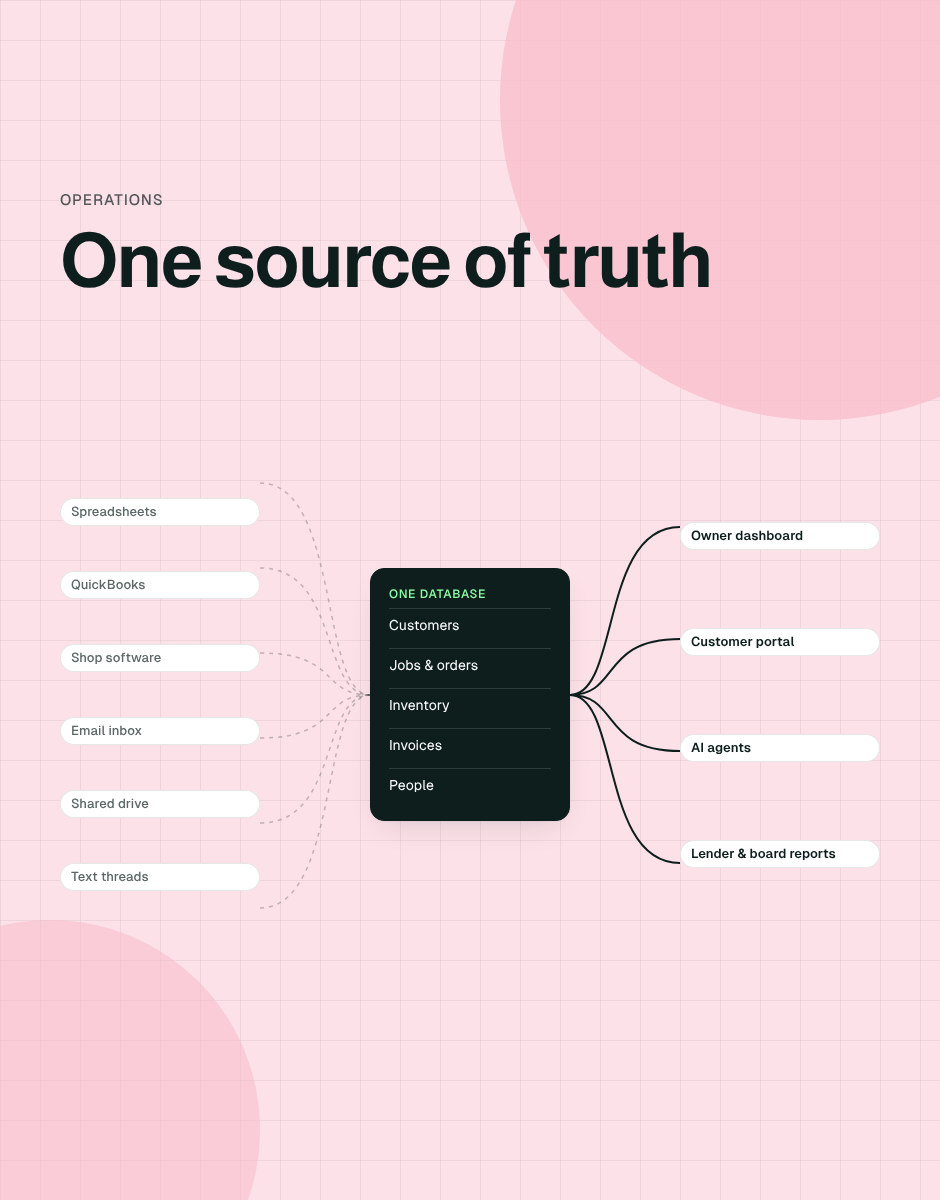
A single source of truth (SSOT) is one authoritative place for each piece of business data, which every person, report and system reads from and writes to. When a customer's address changes, it changes once. When an order ships, the inventory count, the invoice and the dashboard all know.
It does not mean one piece of software for everything. Your accounting system can stay the source of truth for the ledger. What it means is that there is never a question of which spreadsheet, inbox or app has the right number.
Signs you don't have one
- Two people pull the same number and get different answers.
- There is a file with FINAL_v3_USE THIS ONE in the name.
- Month-end reporting takes days of copying between systems.
- One person is the only one who knows how the main spreadsheet works, and they want a vacation.
- Orders, jobs or follow-ups fall through the cracks between tools.
- You can't answer a simple question ("how many open jobs at the Dallas location?") without asking someone to go look.
Why spreadsheets stop working
Spreadsheets are brilliant for analysis and terrible as the operating system of a growing company. They have no real permissions, no audit trail, no relationships between records, and they can't do anything when data changes: they can't text a customer, create an invoice or alert a manager.
They are also fragile. Raymond Panko's review of spreadsheet error research found that studies have concluded unanimously that spreadsheet errors are both common and non-trivial, and that most large spreadsheets probably contain significant errors. Multiply that across a business, and you get Gartner’s estimate that poor data quality costs organizations an average of $12.9 million a year.
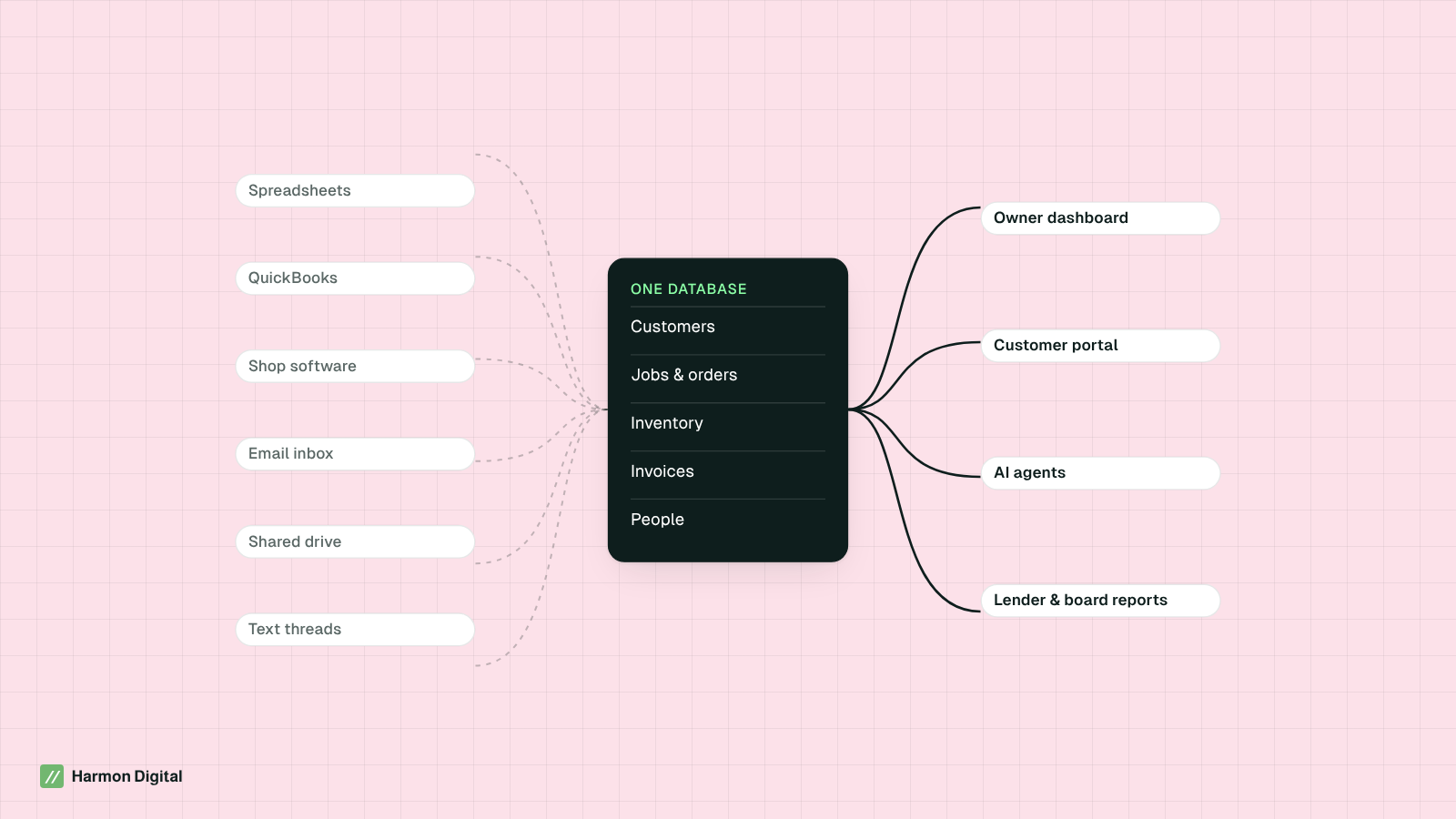
Spreadsheet to database: how the move actually works
The failed version of this project tries to replace everything at once. The version that works moves one workflow at a time:
- Map the core objects. Most businesses run on six to ten: customers, contacts, jobs or orders, products or inventory, invoices, people, locations. Write down how they relate.
- Pick the workflow that hurts most. Usually order-to-cash or lead-to-job. Build only what that workflow needs.
- Import and clean the data once. De-duplicate customers, fix formats, archive what is dead. This is the boring step that makes everything else work.
- Connect, don't replace, the systems that work. Sync to accounting (QuickBooks, Xero), payments and email rather than rebuilding them.
- Run in parallel for one cycle. Keep the old spreadsheet read-only for a month so people can check the new system against it.
- Turn on the automations. Once data lives in one place, follow-ups, alerts, invoices and reports can trigger themselves.
- Retire the spreadsheet. Archive it. If someone keeps a private copy, find out what the new system is missing.
Build, buy or extend?
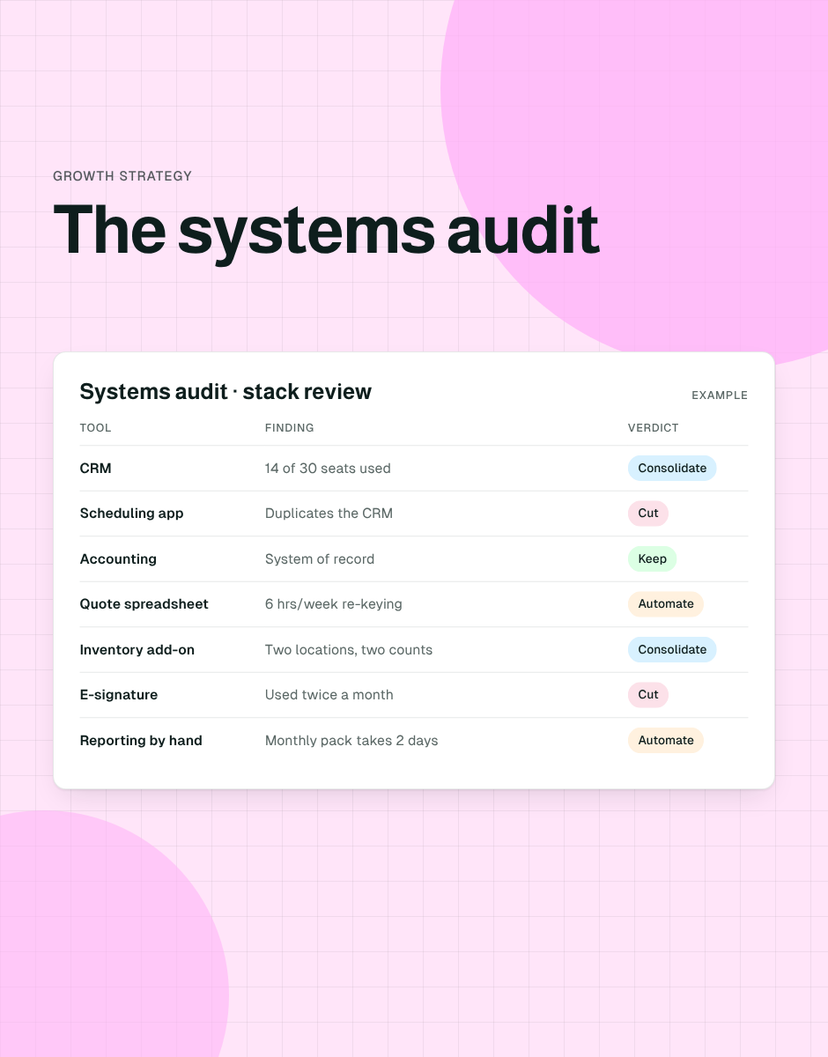
Not every company needs custom software. Use off-the-shelf tools when your process is standard; build when the process is how you win, or when you are stitching together five tools to approximate one.
| Option | Best when | Watch out for |
|---|---|---|
| Buy off-the-shelf (CRM, field service, ERP) | Your process is standard for your industry and the tool fits 80%+ out of the box | Paying for seats nobody uses; workarounds in spreadsheets for the other 20% |
| Extend what you have | One core system works well and just needs integrations and automations around it | Building a fragile web of point-to-point connections |
| Build a custom system | Your workflow is a competitive advantage, spans several tools, or nothing on the market fits | Building without someone who will own and maintain it |
A custom CRM is the most common middle path we see: a database shaped around how the company actually sells and delivers, connected to the accounting and communication tools it already uses.
Three examples
An internet service provider’s custom CRM
Flume Internet, a fiber provider for apartment buildings, was running work orders across a prototype app, a Trello board and Slack messages. We rebuilt it as one Airtable system: portfolios, buildings and work orders with progress tracking and a sales and technician KPI dashboard, later connected to Gmail, Google Calendar and Zendesk escalations.
Investor tracking for a debt offering
SunMed Growers was running a debt offering from an Excel tracker and email. In about six weeks we moved investor tracking into Airtable and automated the subscription and closing packets with Make.com and PandaDoc e-signature, so each investor's status lived in one place. The offering closed that summer.
One platform that runs an entire business
Happy Endings, a London ice cream maker, is moving orders, production planning, batch records, recall tracing, a wholesale portal and staff training onto one owned platform, with an AI agent that turns order emails into orders. Read the case study.
What a single source of truth makes possible
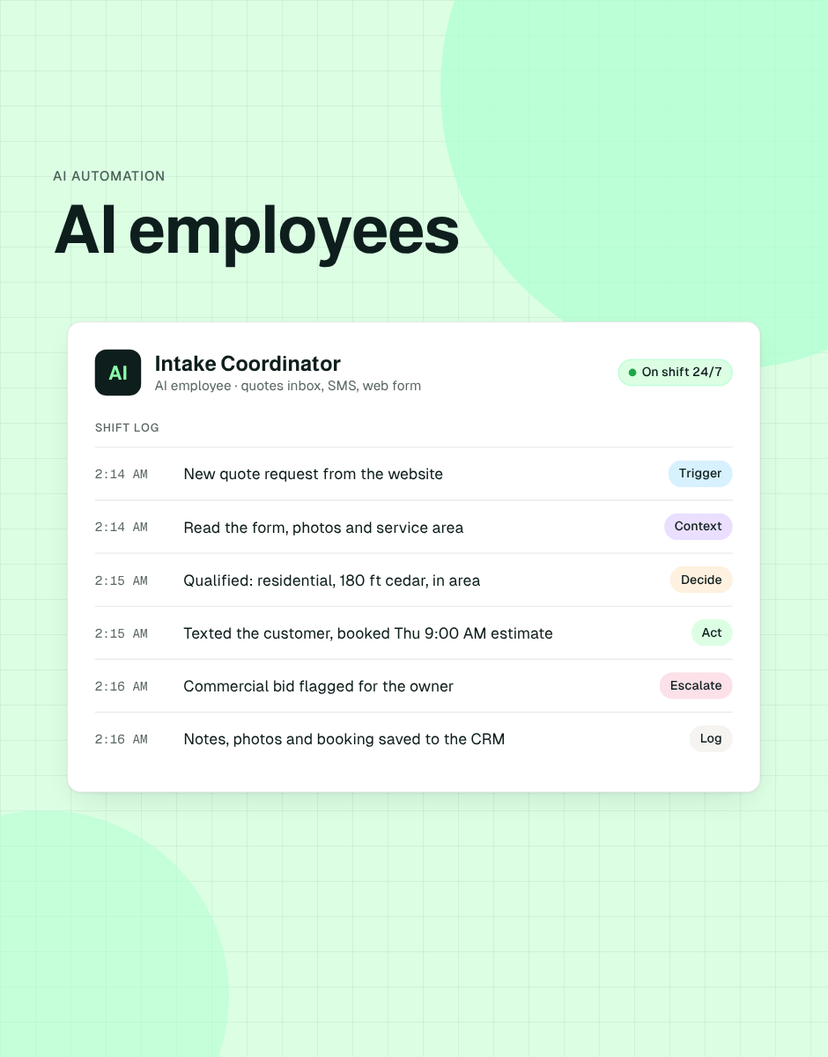
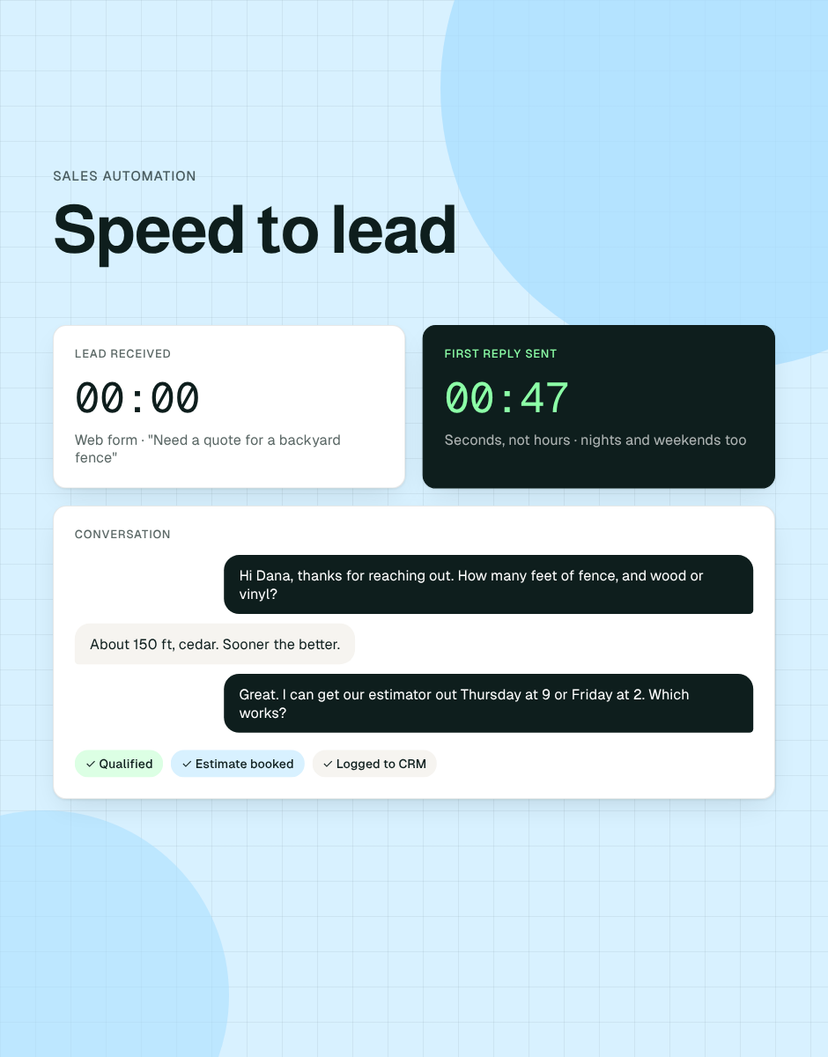
Clean, central data is not the finish line. It is what makes everything else possible: reliable weekly KPIs, customer and partner portals, and AI employees that can act on accurate information rather than guess. It is also one of the first things a buyer's diligence team will test, which is why it belongs in any private equity value creation plan.
Frequently asked questions
What is a single source of truth?
A single source of truth is one authoritative place for each piece of business data, such as customers, orders, inventory and invoices, that every person, report and system uses. It removes the question of which version of a number is right.
Is an ERP a single source of truth?
It can be, but it doesn't have to be. Many smaller companies get the same result by keeping their accounting system for the ledger and building one operational database for customers, jobs and inventory that syncs to it, at a fraction of the cost and time of an ERP.
Can Airtable or a no-code database be a single source of truth?
Yes, for many small and mid-sized businesses. Several of our builds, including Flume Internet's CRM, started on Airtable with automations. The deciding factors are data volume, permissions and how many people write to it at once.
How long does it take to move from spreadsheets to a database?
A focused first workflow usually takes four to twelve weeks including data cleanup and a parallel-run period. Moving one workflow at a time is faster and far less risky than a big-bang replacement.
What is a custom CRM?
A custom CRM is a customer database and pipeline built around how your company actually sells and delivers, rather than how a generic tool assumes you do. It usually connects to your accounting, email and phone systems and automates follow-ups.
Sources
- Spreadsheet Errors: What We Know. What We Think We Can Do. — Raymond R. Panko, University of Hawaii (EuSpRIG)
- How to Improve Your Data Quality — Gartner, 2021

Isaac Harmon · Founder, Harmon Digital
Isaac runs Harmon Digital, which builds custom software and AI employees for private equity portfolio companies, and built Unstack, the platform behind those builds. Finance degree from Mizzou; seven businesses started before 21, so he has been on the operator's side of messy systems.